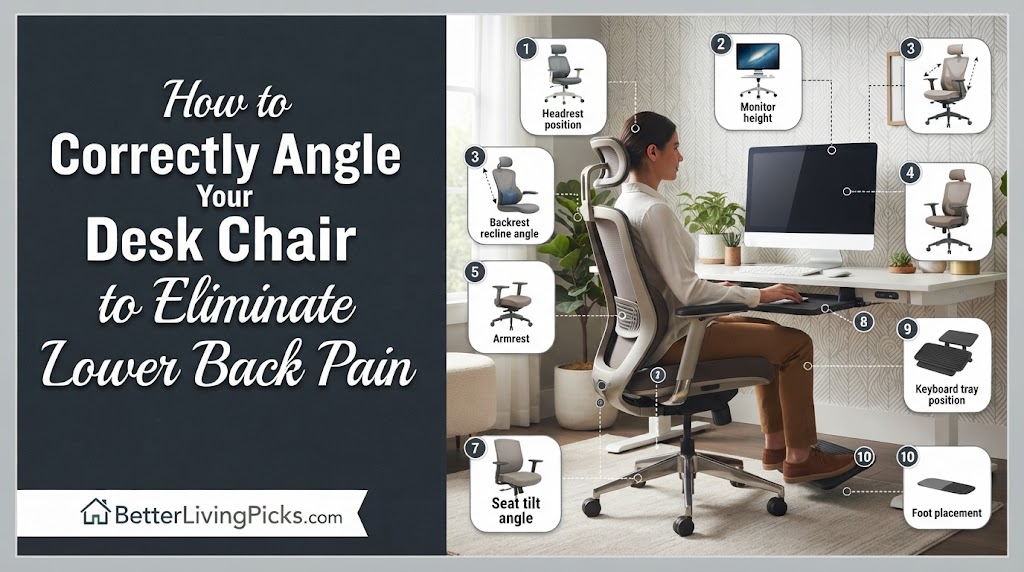
A slight forward tilt or a neutral, flat position is best. This promotes a natural inward curve in your lumbar spine, preventing your pelvis from tucking under and straining the discs.
You should feel your weight evenly distributed across the seat. Your thighs should be parallel to the floor, and you should feel consistent contact between your lower spine and the chair’s lumbar support.
Keep it unlocked with moderate tension. This allows for “active sitting,” which forces your core to stay slightly engaged and prevents muscles from getting stiff in one static, harmful position.
It is likely a depth or height issue. If the seat is too deep, you won’t touch the backrest. If it is too low, you’ll round your back. Ensure your feet are firmly planted first.
If you have ever finished a workday feeling like your lower back is locked in a vice, you aren’t alone. We spend eight hours a day fighting our chairs instead of letting them support us. You might have the most expensive “ergonomic” chair on the market, but if it’s angled incorrectly, you are essentially sitting on a torture device. The difference between a productive day and a painful one often comes down to a few degrees of tilt.
The fix isn’t about buying new, overpriced gear, it’s about understanding the geometry of your spine and how your chair’s mechanics should interact with it. By making a few small, deliberate adjustments to your seat tilt, backrest angle, and tension settings, you can take the pressure off your lumbar discs and finally stop that end-of-day ache. Let’s break down exactly how to dial in your setup so your chair finally does what it was designed to do: hold you up without hurting you.
Understanding the Role of Seat Tilt

Neutral Pelvic Alignment
Your pelvis acts as the anchor for your entire spine. When you sit with a slouched posture, your pelvis naturally rolls backward. This forces your lumbar spine to round out, putting massive pressure on your discs. A proper seat angle keeps your pelvis in a neutral position, creating a solid base that allows your spine to stack naturally. Think of it like a building foundation; if the foundation is tilted wrong, the whole structure suffers.
Forward vs. Backward Tilt
Most modern ergonomic chairs feature a “seat pan tilt” function. A forward tilt (where the front edge of the seat dips lower than the back) is often the missing key for people with chronic pain. It mimics the natural alignment of standing, which keeps your lumbar curve intact even while sitting. Conversely, a backward tilt (reclining) moves the weight to the backrest. This is great for taking a break or reading, but it can cause you to slide forward, forcing your lower back to overcompensate for the lack of support.
The Physics of Pressure
When you sit at a perfectly flat 90-degree angle, the weight of your upper body is focused directly on your lower lumbar discs. By slightly adjusting the tilt, you redistribute that weight. You are moving the force from your sensitive spinal discs to your glutes and thighs, which are much better equipped to handle the load for long periods.
Step-by-Step Guide to Angling Your Chair

Establish the Baseline
Before touching any levers, clear your desk. Your chair adjustments are useless if your monitor or keyboard force you to lean forward. Set your feet flat on the floor. If your feet can’t touch the floor comfortably, get a footrest don’t compromise your spine just to reach the ground. Your knees should be at a 90-degree angle, and your hips should be slightly higher than your knees.
Adjusting the Seat Pan Angle
Once your feet are set, locate your seat tilt lever. If your chair supports forward tilt, engage it so the seat pan angles down slightly. You are looking for that “sweet spot” where your hips feel open and your lower back feels supported by the backrest naturally. If you feel like you are sliding out of the chair, the angle is too steep; flatten it out by one notch until you feel secure.
Setting the Backrest Recline
Do not lock your backrest at a rigid 90 degrees. While it feels “proper,” it is actually one of the worst positions for your muscles. It forces your back muscles to hold you upright against gravity for hours. Instead, set your recline to about 100 to 110 degrees. This angle reduces the pressure on your lumbar discs while keeping your eyes in a good position to see your monitor.
Fine-Tuning the Tension Control
The tension knob usually hides under the center of the seat. If you have to fight your chair to keep it from reclining too far, the tension is too loose. If you feel like you are stuck in a rigid box, it’s too tight. You want enough resistance so the chair provides firm feedback when you lean back, but moves easily when you shift your weight. This “give” is essential for long-term comfort.
The Hidden Mechanics of Lumbar Support

Why “Firm” Doesn’t Always Mean “Better”
Many people buy a chair with a hard, aggressive lumbar “bump.” They think the harder it pushes, the better it is. This is a mistake. A lumbar support should feel like a gentle hand pressing into the small of your back, not a blunt object. If your lumbar support feels painful, your chair angle is likely forcing your spine into an unnatural, arched position.
Adjusting for Your Torso Length
Not all torsos are the same height. Most ergonomic chairs have a height-adjustable backrest. You need to slide this up or down so the deepest part of the curve hits the small of your back, not your shoulder blades or your tailbone. If you cannot reach the lumbar support because your torso is too short, use a thin, firm pillow. A pillow is often more adjustable than an expensive, built-in mechanism.
Common Mistakes That Cause More Pain
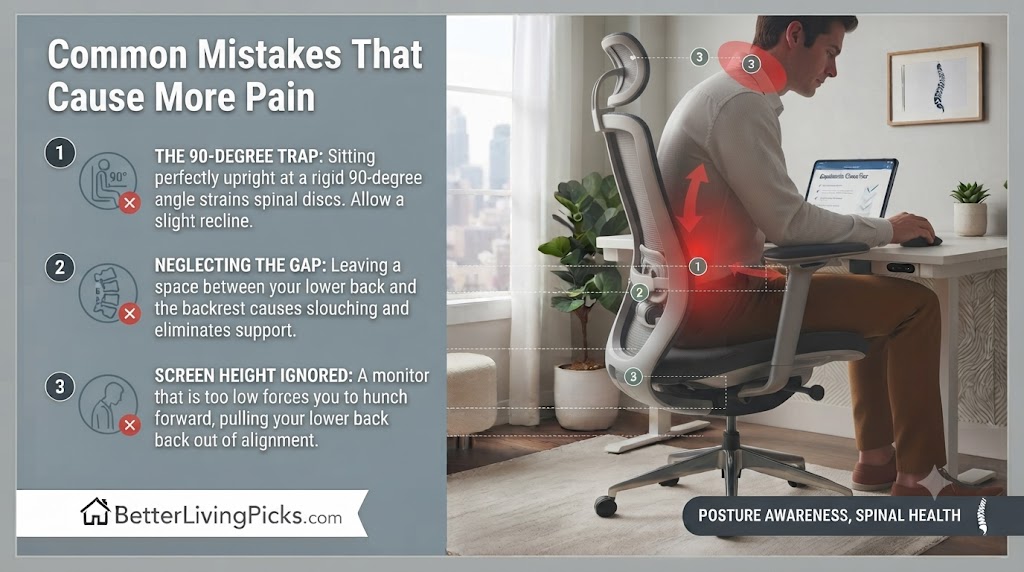
The “90-Degree Trap”
We have been told for years that sitting at 90 degrees is the “perfect posture.” This is outdated advice. Sitting at 90 degrees puts maximum strain on your spinal discs. By allowing yourself to recline slightly, you take a significant amount of weight off your spine. Stop worrying about looking like a soldier and start worrying about how your spine feels.
Neglecting the Seat-to-Back Gap
If you feel a gap between your lower back and the chair, you have zero support. You are essentially hanging by your ligaments. To fix this, sit all the way back until your tailbone touches the backrest. If your chair seat is too deep (the edge hits the back of your knees), pull the seat pan forward if possible, or add a back cushion to fill the gap. If you aren’t touching the backrest, the backrest might as well not exist.
Ignoring Your Upper Body
If your chair is perfectly angled but your monitor is too low, you will still hunch forward. This ruins your lumbar support because it pulls your lower back away from the chair. Once your chair is set, move your monitor so you are looking at the top third of the screen without tilting your head. Your neck, shoulders, and lower back work as a chain; if one part fails, the whole chain collapses.
Testing Your New Position
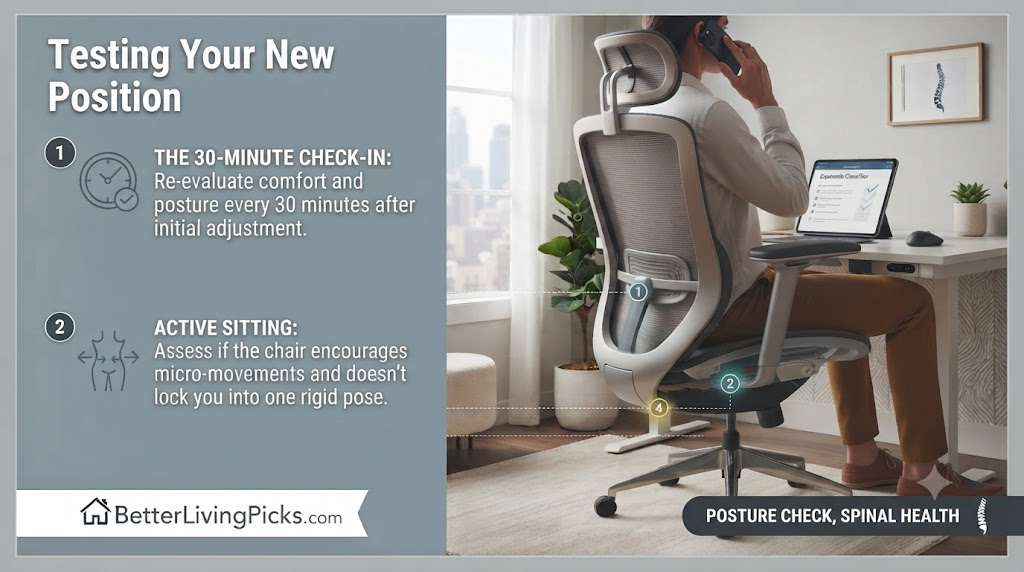
The 30-Minute Check-in Method
Don’t just set it and forget it. After making these changes, set a timer for 30 minutes. If you find yourself slouching or leaning forward, your body is telling you that the current setup isn’t working for your specific anatomy. Do a quick scan: Are your feet flat? Is your lower back touching the support? Are your shoulders relaxed?
When to Re-Adjust
You aren’t meant to be a statue. Even with the perfect angle, your muscles will get tired if you stay still for hours. Change the tension on your chair throughout the day. Recline further during a phone call, and bring it to a more neutral, upright position when you are typing or focused on a complex task. This movement is the best way to keep your spine healthy.
Frequently Asked Questions
Does sitting in a reclined position actually help lower back pain?
Yes, provided you have adequate lumbar support. Reclining shifts your body weight away from your lower spine and onto the chair’s backrest. As long as your lower back remains supported and your feet are planted, reclining is almost always better than sitting perfectly upright.
How do I know if my chair is too high or too low?
Your feet should be flat on the floor with your knees at roughly a 90-degree angle. If your feet are dangling, your thighs are being compressed, which cuts off circulation. If your knees are higher than your hips, you are likely putting excessive pressure on your lumbar discs, leading to rapid fatigue.
Is it okay to use a wedge cushion on my office chair?
It can be a great tool, but use it carefully. A wedge cushion forces a forward tilt. If you have tight hamstrings, this can be a total game-changer. However, if you have pre-existing hip issues, a wedge might create secondary discomfort. Try it for an hour to see how your body reacts before committing to it for a full workday.
What is “active sitting” and why does it matter?
Active sitting means your chair is not locked in a static, rigid position. By allowing the chair to tilt slightly as you shift, you keep your core muscles engaged and reduce the risk of spinal stiffness. It prevents your muscles from “locking” into one harmful position for hours on end, which is where most chronic pain originates.
Can a mesh backrest provide enough support?
Mesh is excellent for airflow, but it can sag over time, losing its structural integrity. If your mesh chair feels like a sagging hammock, you need to tighten the tension mechanism immediately. If it still doesn’t offer firm support, adding a separate, firm lumbar roll is the cheapest and most effective fix to keep your back happy.
Should I change my angle depending on the task?
Absolutely. If you are typing, a slightly more upright, forward-tilted position is better for focus and reach. If you are reading, taking a phone call, or watching a webinar, reclining slightly helps you relax and significantly reduces the total load on your spine. Adjust as you go; your chair is a tool, not a cage.
Final Thoughts
Reducing lower back pain isn’t about finding one “perfect” position that you never move from. It’s about giving your body the flexibility to change and the support it needs while you work. Most of us have spent years neglecting our chair settings, so it might take a week or two for your muscles to stop bracing against the old, bad habits.
Take these adjustments one at a time. Start by leveling your seat height, then tackle the tilt, and finally, dial in your tension. You’ll be surprised at how much difference these tiny shifts make. You aren’t just adjusting a chair; you are changing the way your body handles the stress of your workday. Pay attention to how your back feels when you finally stand up at the end of the day, that is the only metric that truly matters.