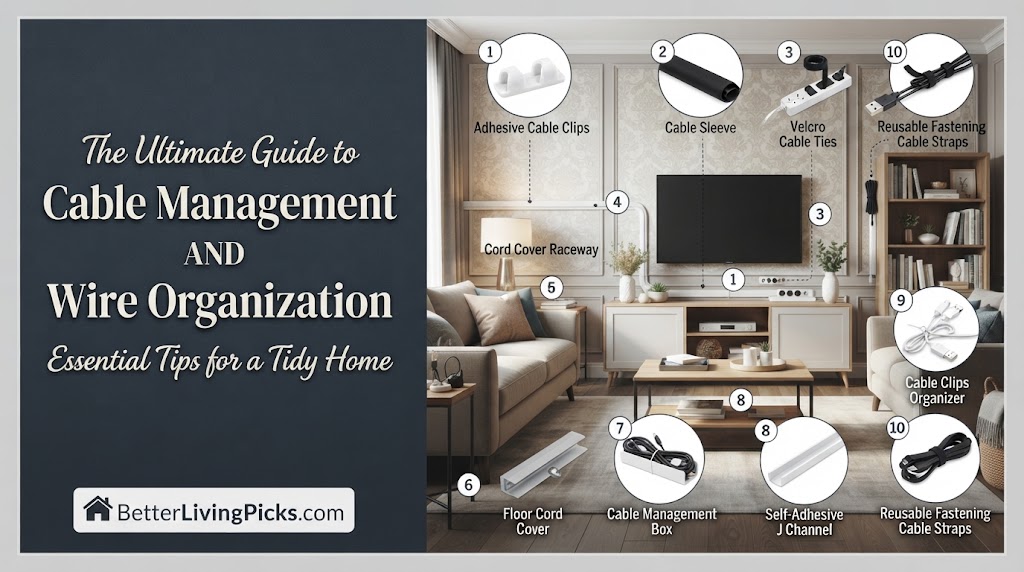
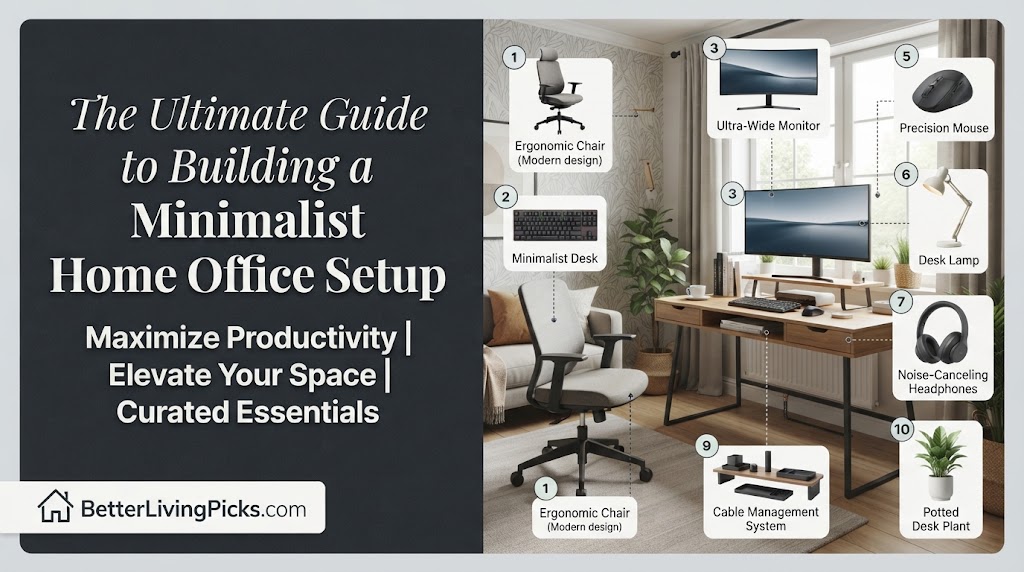
A true minimalist home office setup relies on strict functional intent, ensuring every desk item serves an explicit daily purpose while hiding visual clutter.
2. How do I start clearing out my current messy desk?
Completely empty your workspace down to the bare surface, bringing back only items you have used within the last forty-eight hours.
3. What is the most effective way to manage wires?
Use under-desk raceways combined with mounting tape to secure power bricks and excess cord length entirely out of your line of sight.
4. Can a clean workspace still feel warm and inviting?
Yes, by incorporating natural wood grain textures, matte finishes, and a single low-maintenance houseplant instead of plastic trinkets.
Building a productive workspace often turns into an expensive exercise in buying gear you do not actually need. When physical clutter piles up on your desk, mental fatigue follows right behind it, destroying your daily focus and deep-work output.
Understanding the True Meaning of a Minimalist Home Office Setup
Stripping Away Non-Essentials for Mental Clarity
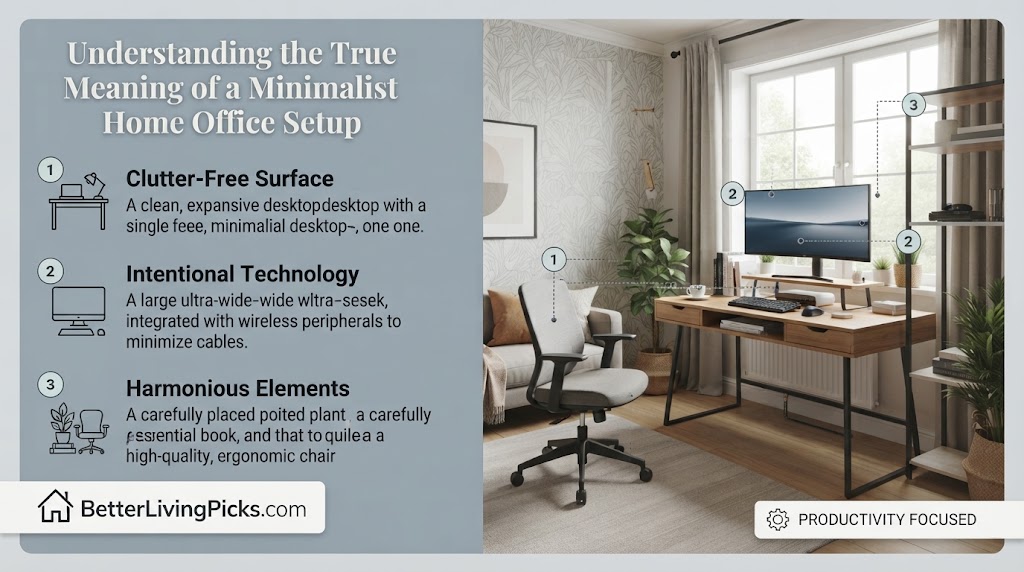
A minimalist workspace is not about owning as little as possible just to chase an empty aesthetic on social media. True minimalism is an intentional reduction of physical friction so your mind can focus entirely on the task at hand. When your field of vision is cluttered with old notebooks, random chargers, and unused peripherals, your brain constantly expends energy processing that background noise. By stripping away non-essentials from your desk, you instantly lower cognitive load. Every object left on the surface must earn its right to be there through daily functional necessity.
Common Misconceptions About Minimalist Workspace Design
Investing in a solid-core standing desk paired with a heavy-duty single arm monitor mount delivers the absolute best balance of long-term durability, ergonomic flexibility, and clean visual aesthetics for your minimalist home office setup.
Many people assume that achieving a clean layout requires buying expensive designer furniture or completely eliminating personal touches. This rigid mindset often leads to cold, sterile environments that feel uncomfortable to work in for eight hours a day. Minimalist design is flexible, highly personal, and entirely centered on your unique workflow requirements. You do not need a massive budget or a luxury loft to build an efficient space. The real goal is maximizing your functional capacity while keeping physical and visual distractions to an absolute minimum.
Evaluating Your Available Room Layout and Spatial Constraints
Measuring Twice to Prevent Overcrowding
Before purchasing any new furniture or hardware, you must take precise measurements of your room dimensions and entry points. Trying to force an oversized desk into a compact bedroom corner immediately ruins the open, airy flow required for a functional room layout. Leave plenty of clearance space around your chair so you can move freely without bumping into walls or storage units. Mapping out your spatial constraints on paper first saves you from costly return shipping fees and frustrating assembly mistakes.
Positioning Your Desk for Optimal Natural Lighting
The physical placement of your desk dictates how comfortable you will feel during long shifts under changing daylight conditions. Avoid pushing your back directly against a bright window, as this creates harsh backlight glare on your computer monitor. Instead, position your desk perpendicular to windows to capture soft ambient daylight across your workspace. If room constraints force a wall-facing layout, use adjustable blinds to manage direct sun rays and prevent eye strain.
Selecting the Perfect Desk for a Clean Aesthetic
Solid Wood Versus Engineered Materials
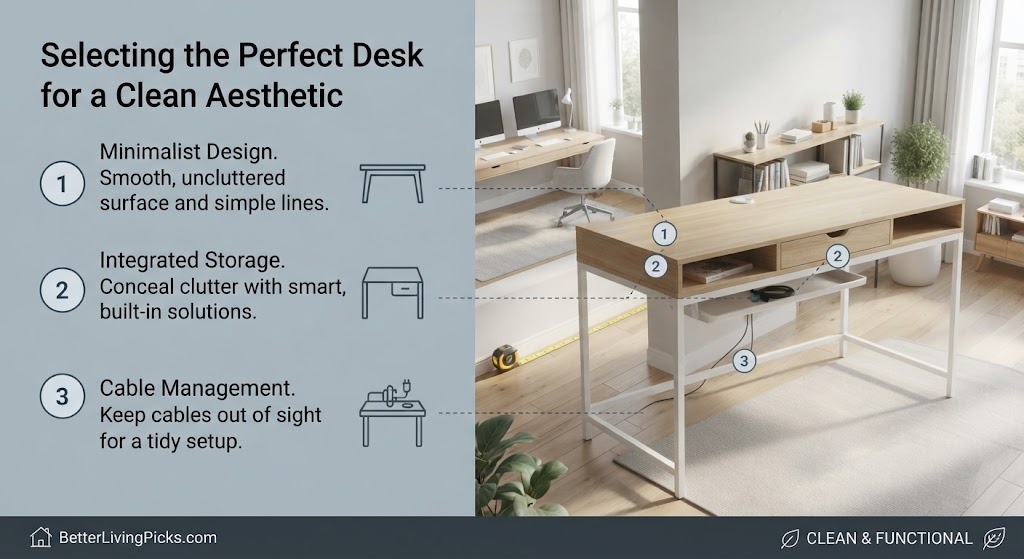
The desk serves as the visual anchor of your entire room, making material selection a critical design choice. Solid wood surfaces provide rich, organic warmth and exceptional durability that easily lasts for decades of heavy daily use. Engineered wood or high-density fiberboard offers a budget-friendly alternative with smooth, uniform matte finishes. Whichever material you choose, look for a clean slab design with minimal decorative bevels or bulky built-in shelving units.
Evaluating Legroom and Under-Desk Clearance
A truly clean aesthetic means nothing if your knees constantly bang against low structural crossbeams or built-in cabinet walls. Check the underside clearance of any prospective desk to ensure your ergonomic chair fits completely underneath when not in use. Ample legroom allows you to shift your posture naturally throughout the day without restriction. Prioritize open frames with sturdy steel legs over bulky pedestal desks to maintain an open visual footprint.
Pairing Your Desk With Ergonomic Seating
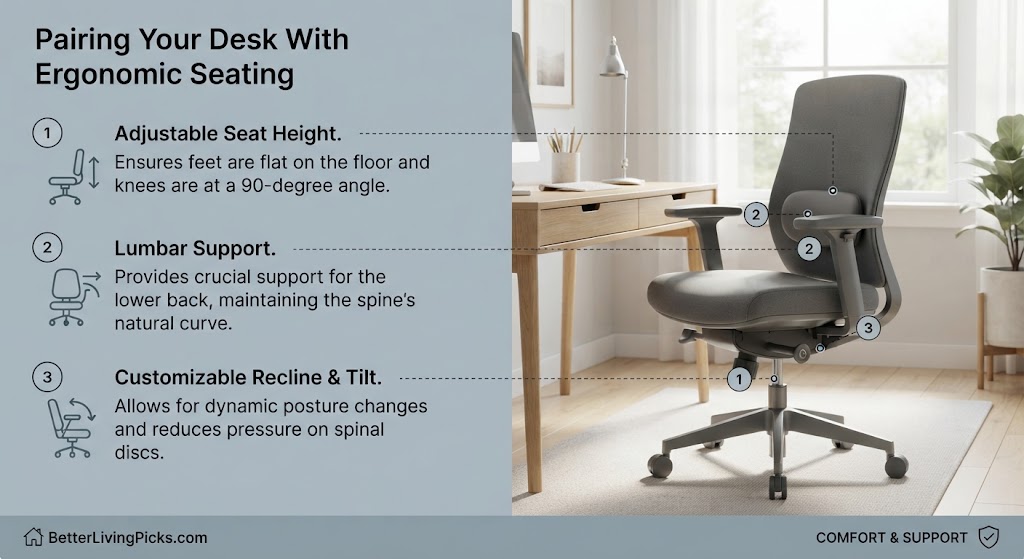
Finding the Balance Between Support and Style
Office chairs are notoriously bulky, featuring thick padding and aggressive ergonomic spines that clash with clean design aesthetics. Finding a balance requires looking past flashy racing-style gaming chairs and focusing on streamlined mesh designs. Modern task chairs offer full lumbar support and adjustable armrests while maintaining a low-profile silhouette. Choosing a neutral gray, black, or mesh fabric ensures the chair blends smoothly into your background wall color.
Adjustability Features You Cannot Compromise On
Never sacrifice your long-term physical health for the sake of a sleek visual look. Your chair must feature pneumatic height adjustment, adjustable lumbar support, and a reliable recline tension mechanism. Armrests should adjust vertically and horizontally so your shoulders remain relaxed while typing. Spending eight hours in a visually stunning chair that lacks core ergonomic adjustments will inevitably lead to chronic back and neck pain.
Eliminating Visual Noise Through Advanced Cable Management
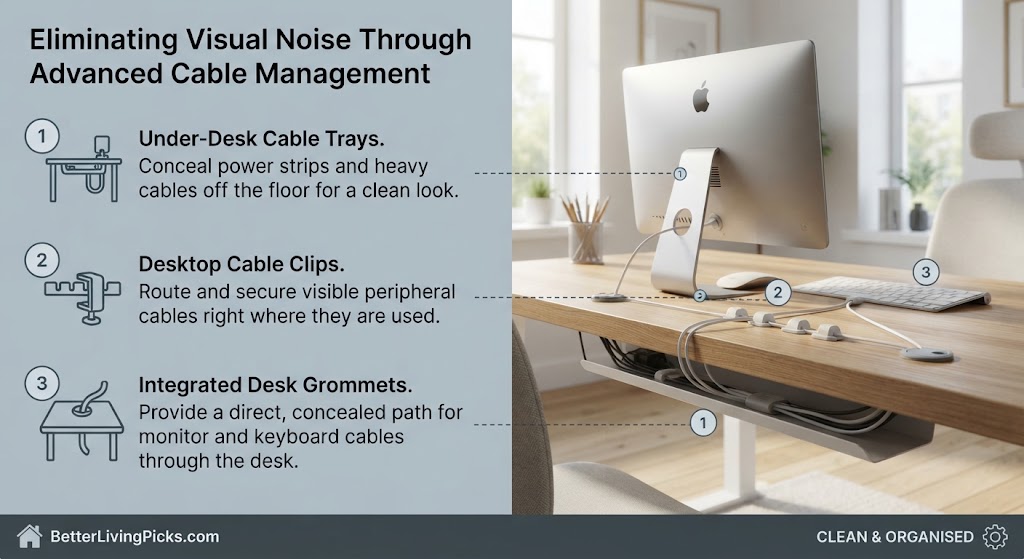
Hidden Trays and Raceway Channels
Tangled cords spilling across the floor and cascading down the back of your desk instantly ruin even the most expensive design layout. Installing an under-desk cable management tray lets you gather power strips and long adapter bricks completely out of sight. Run your primary power cords down a single desk leg using magnetic sleeves or flexible spine channels. This single step transforms a chaotic nest of wires into a clean, professional workspace.
Managing Power Bricks and Excess Cord Length
Long charging cables and heavy power blocks create unnecessary weight and visual clutter under your work surface. Use heavy-duty mounting tape or screwed-in brackets to secure bulky adapters directly to the underside of the desk. Wrap excess cord length neatly using velcro ties before stashing them inside your raceway channels. Keeping every wire elevated off the floor also makes daily vacuuming and cleaning effortless.
Choosing the Right Lighting Strategy
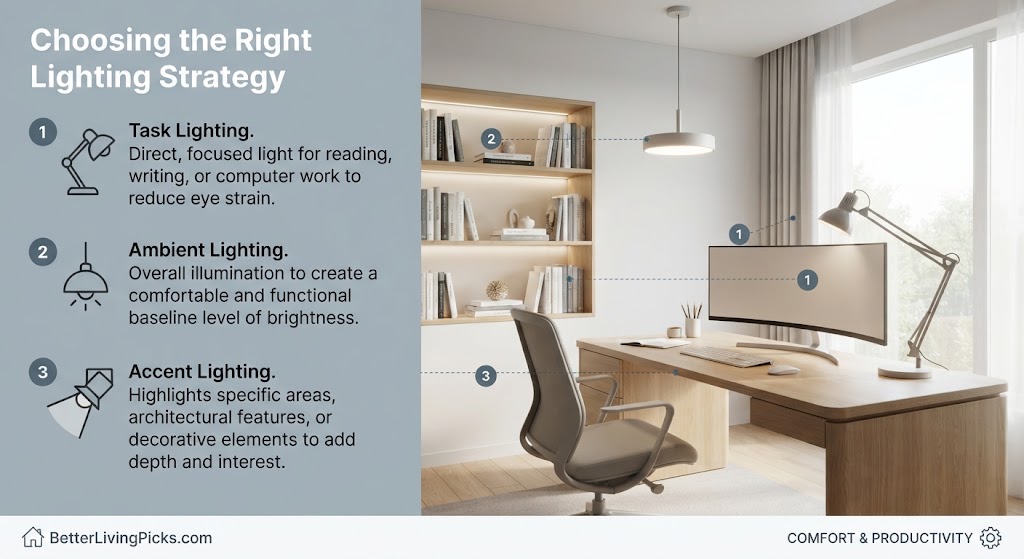
Ambient Overhead Fixtures Versus Task Lamps
Relying solely on harsh overhead ceiling lights creates a flat, sterile working environment that fatigues your eyes. Layer your lighting by combining soft ambient room illumination with a dedicated, low-profile task lamp on your desk. Adjustable LED light bars mounted behind your monitor also provide excellent bias lighting. This layered approach reduces eye strain during late-night work sessions without introducing heavy shadows.
Eliminating Screen Glare With Intelligent Positioning
Screen glare forces your eyes to constantly readjust, leading to tension headaches and fatigue by the afternoon. Position your task lamp so the light beam hits your notebook or keyboard directly without reflecting off your display glass. If you use a monitor light bar, ensure the optical design directs illumination straight down onto your desk surface. Test your lighting setup at different times of the day to catch and eliminate wandering reflections early.
Integrating Technology Without Creating Clutter
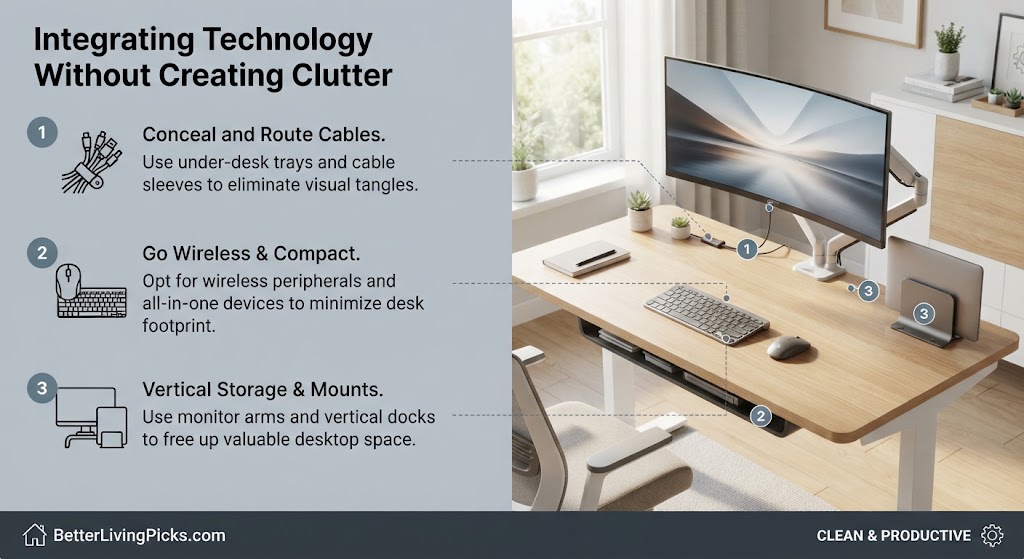
Single-Cable USB-C Hub Solutions
Juggling multiple dongles, power adapters, and display cables creates an immediate mess every time you sit down to work. Investing in a robust USB-C docking station lets you connect power, monitors, and peripherals through a single master cable. When you need to take your laptop away, you simply unplug one connection and walk away. This setup keeps your surface clear of unnecessary wire clutter and speeds up your morning routine.
Selecting Low-Profile Peripherals and Mechanical Keyboards
Bulky, oversized keyboards with flashing RGB lights break the serene aesthetic of a calm workspace. Switch to a compact tenkeyless or 65-percent mechanical keyboard that leaves plenty of room for your mouse. Low-profile wireless mice with silent clicking mechanisms keep your desk surface looking neat and operating quietly. Neutral colorways like matte black, silver, or chalk white tie the peripheral hardware together seamlessly.
Reclaiming Desk Real Estate With Monitor Arms
Single Versus Dual Display Mounting Options
Restoring open surface area on your desk often starts by lifting your heavy computer displays off their factory stands. A sturdy monitor arm clamps securely to the back edge of your desk, freeing up the entire footprint underneath the screen. If you work with a single monitor, a single articulated arm lets you pull the screen closer or push it back effortlessly. Dual display setups benefit from a synchronized arm system that keeps two monitors perfectly aligned without creating visual clutter.
Adjustability Height and Tension for Neck Comfort
Proper screen height is vital for maintaining a neutral neck posture throughout your daily work sessions. Adjust your monitor arm so the top third of your display screen sits directly at or slightly below eye level. Fine-tune the internal spring tension of the arm so you can tilt and pivot the screen smoothly with one hand. Correct ergonomic alignment prevents slouching and eliminates the shoulder strain associated with low screens.
Curating Intentional Decor and Personal Touches
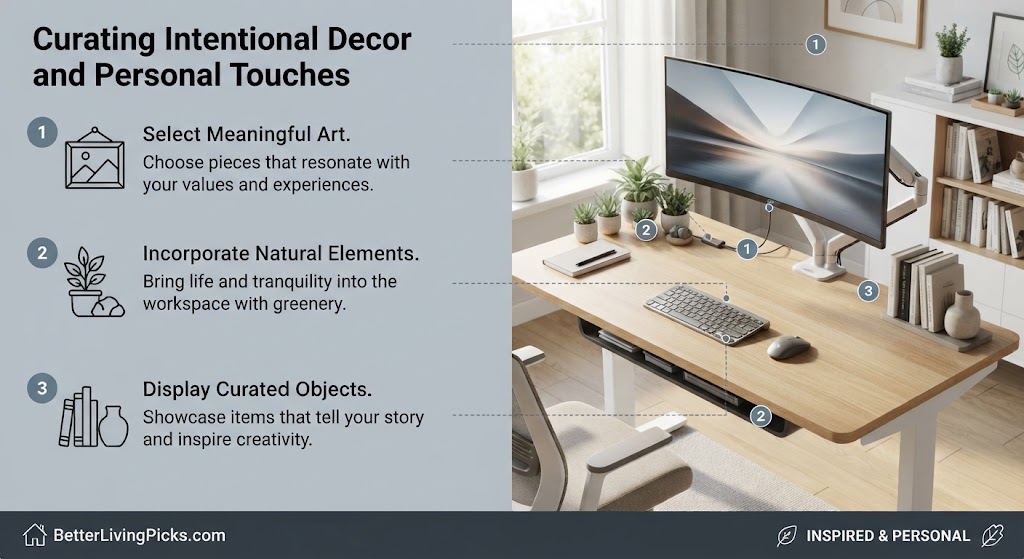
The Rule of Three for Desktop Objects
Minimalism does not mean your desk has to look like an empty corporate showroom with zero personality. Apply the strict rule of three when adding decorative elements to ensure your workspace remains orderly. Limit your visible desktop items to a maximum of three non-essential pieces, such as a notebook, a pen holder, and a small personal artifact. This constraint forces you to choose items that genuinely bring you joy or utility without overwhelming your field of view.
Bringing Life Indoors With Small Succulents
Adding a touch of organic green life breaks up the hard lines of metal and plastic hardware on your desk. Small, low-maintenance plants like snake plants, pothos, or miniature succulents thrive indoors with minimal watering requirements. A small ceramic pot containing green foliage adds natural texture and visual warmth to an otherwise stark workspace. Nature integration has also been proven to lower stress levels during intense project deadlines.
Implementing Hidden Storage Systems
Wall-Mounted Shelving Versus Rolling Pedestals
When you need to store physical paperwork, reference books, and office supplies, look beyond traditional bulky file cabinets. Wall-mounted floating shelves utilize vertical room dimensions, keeping your floor area completely clear and easy to vacuum. If you prefer keeping items close at hand, a low-profile rolling pedestal fits neatly underneath your desk structure. Choosing clean-front drawers with push-to-open latches eliminates the need for protruding handles.
Categorizing Drawer Spaces for Maximum Efficiency
Hidden storage quickly turns into a chaotic junk drawer if you do not establish rigid organizational boundaries inside. Use modular acrylic or wooden drawer organizers to separate pens, sticky notes, charging adapters, and external hard drives. Every category of item must have a designated home so you can find what you need in seconds. A clean exterior means nothing if opening a single drawer triggers an avalanche of loose supplies.
Acoustic Optimization for Quiet Work Sessions
Soft Furnishings to Reduce Echo
Hard wood desks, bare laminate floors, and unadorned walls create an echo-heavy environment that amplifies typing sounds and keyboard clicks. Introduce soft acoustic elements into your room design by hanging canvas art, placing a thick rug under your chair, or adding heavy curtains. These subtle modifications absorb high-frequency noise reflections, creating a quiet, serene atmosphere that enhances deep concentration.
Desk Mats and Acoustic Desk Pads
A large felt or leather desk mat serves multiple functional purposes in a streamlined workspace layout. Beyond providing a smooth, consistent surface for your mouse tracking, a thick felt mat dampens the sharp acoustic sound of mechanical keyboard switches. It also protects your fine wood or laminate desk surface from scratches caused by shifting mugs and hardware. Choosing a neutral gray or charcoal tone adds a sophisticated texture layer to your setup.
Maintaining Your Clean Workspace Daily
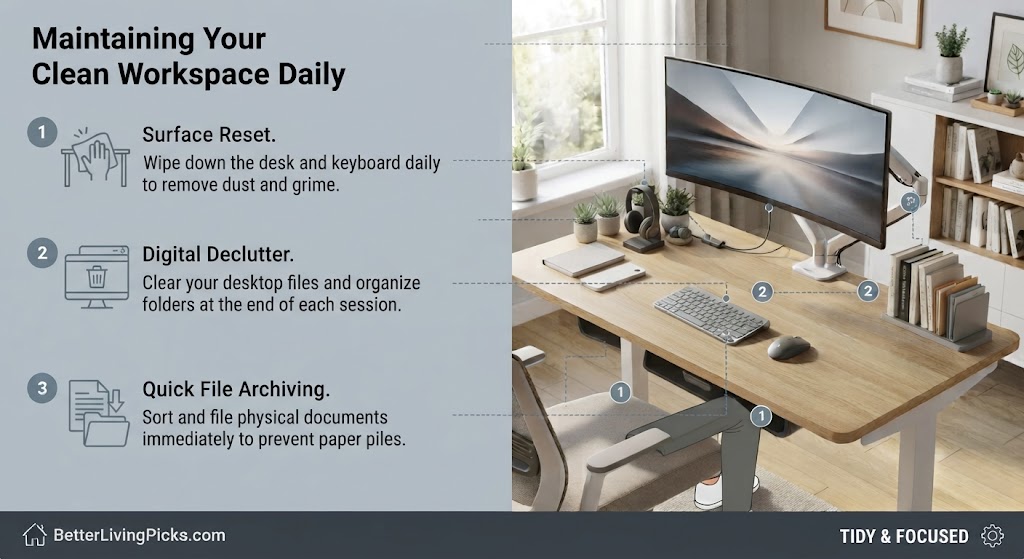
The Five-Minute End-of-Day Reset Ritual
Achieving a clean aesthetic requires very little effort when you practice a consistent daily maintenance routine. Spend the final five minutes of your workday returning stray notebooks to shelves, wiping down your screen, and clearing coffee mugs. Walking away from a pristine workspace in the evening ensures you start the next morning with zero friction or mental drag. This simple habit prevents clutter from compounding over the course of a busy work week.
Preventing Accumulated Paper Clutter
Paper mail, printed invoices, and random notes are the silent killers of any tidy desk design. Establish an immediate sorting habit: scan important documents into digital storage right away and recycle the physical copies. Use a single slim inbox tray for papers that require immediate action before the end of the day. Keeping your workspace digital-first keeps physical paper buildup completely under control.
Upgrading Your Setup Over Time on a Budget
Prioritizing Purchases That Impact Health First
Building a high-end workspace does not require buying every piece of luxury gear all at once. Prioritize upgrades that directly impact your physical health and daily focus first, starting with your ergonomic chair and mattress-level mattress support. Secondary items like decorative mats, ambient lighting strips, and matching desk accessories can be added gradually over several months. Taking a slow, intentional approach prevents buyer’s remorse and keeps your project budget under control.
Sourcing Second-Hand High-End Office Furniture
Commercial-grade office furniture built by reputable ergonomic brands often lasts for decades, making the second-hand market a goldmine for minimalists. Look for liquidated corporate assets or local marketplace listings featuring high-end task chairs and solid wood tabletops. Buying used commercial furniture saves you a substantial amount of money while keeping durable materials out of local landfills. A little bit of cleaning and minor hardware tightening is all it takes to make pre-owned pieces look brand new.
Managing Digital File Organization for a Seamless Workflow
Cloud Storage Versus Local Drive Backups
A truly clean workspace extends far beyond your physical desktop surface into your digital environment. Cluttered computer screens crowded with hundreds of random documents and orphaned files create instant mental friction every time you turn on your machine. Migrate your active files to secure cloud storage directories and keep your local drive clean. This digital minimalism mirrors your physical setup, ensuring smooth access to project files without visual distractions.
Desktop Icon Minimalist Cleanliness
Hide or remove unnecessary shortcut icons from your computer display background to maintain an immaculate visual field. Use a clean, distraction-free desktop wallpaper that promotes calm concentration rather than sensory overload. Organizing your files into structured, color-coded folders keeps your digital workspace running efficiently.
Incorporating Ergonomic Stretching and Movement Habits
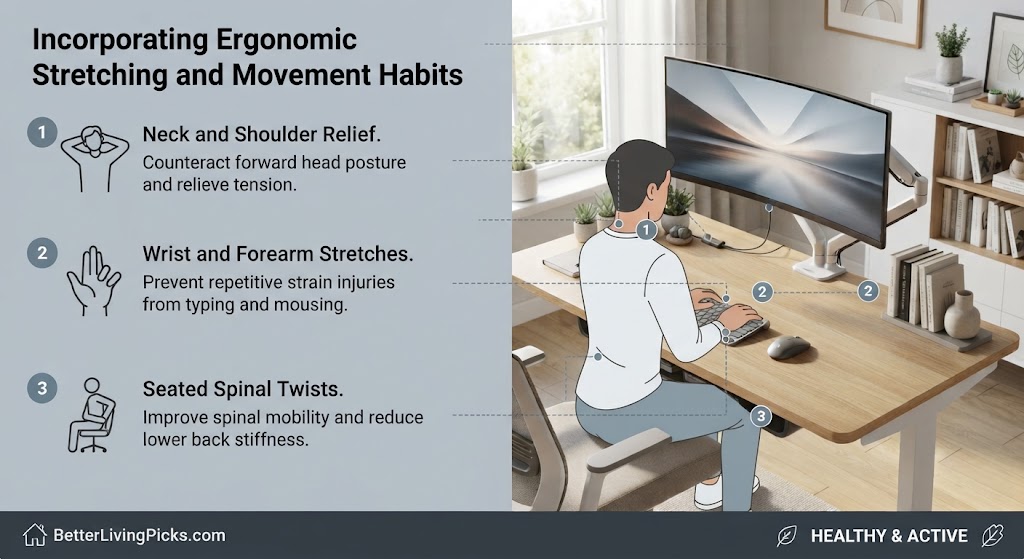
Stand-Sit Transition Intervals
Even the most advanced ergonomic furniture cannot substitute for active physical movement throughout your workday. Set a gentle timer to switch between sitting and standing positions every forty-five minutes to maintain healthy blood circulation. Dynamic posture adjustments keep your muscles engaged and prevent stiffness from setting in during intensive tasks.
Eye Rest Exercises and the 20-20-20 Rule
Staring at high-resolution computer monitors for hours causes digital eye strain and afternoon tension headaches. Practice the twenty-twenty-twenty rule by looking at an object twenty feet away for twenty seconds every twenty minutes. This simple routine relaxes your ciliary eye muscles and preserves your long-term ocular health within your workspace.
- Define Functional Intent: Every item in your minimalist home office setup must serve an explicit daily purpose to minimize mental clutter.
- Conceal Visual Noise: Use under-desk raceways and single USB-C hubs to completely eliminate tangled wire nests.
- Prioritize Ergonomics First: Never sacrifice spinal health or proper monitor height for the sake of temporary design trends.
- Practice Daily Maintenance: Execute a five-minute end-of-day reset ritual to keep your workspace pristine and ready for tomorrow.
Frequently Asked Questions
What is the best desk depth for a minimalist home office setup?
A desk depth of at least thirty inches provides optimal distance between your eyes and your monitor screen while leaving ample room for keyboards and notebooks. Anything shallower than twenty-four inches feels cramped and forces your display too close to your face, leading to digital eye strain.
How do I hide power strips without drilling into my desk?
You can use industrial-strength double-sided mounting tape or heavy-duty velcro brackets to secure power strips securely to the underside of wooden or laminate desks. This method holds heavy power bricks firmly in place without requiring permanent screw holes or structural modifications.
Are standing desks compatible with a minimalist aesthetic?
Modern motorized standing desks feature sleek control paddles and clean leg columns that blend seamlessly into minimalist workspace designs. Look for models with hidden motor channels and solid wood tops to maintain an uncluttered, high-end architectural look.
How many monitors should I use in a clean workspace?
A single ultra-wide monitor or a well-aligned dual display setup represents the sweet spot for maintaining a clean visual field. Going beyond two screens introduces heavy hardware bulk and visual distraction that counteracts the core goals of minimalist design.
What color palette works best for a distraction-free office?
Stick to neutral, earthy tones such as matte black, warm wood grains, soft grays, and chalk whites to create a calm atmosphere. Avoid hyper-saturated colors and aggressive neon gaming accents that draw your eye away from deep focused work.
How often should I deep clean my desk surface?
Perform a quick five-minute tidy at the end of every workday and schedule a thorough deep clean once a month. Wipe down your desktop surface with a microfiber cloth, dust your monitor vents, and clear out accumulated drawer clutter during your monthly session.
Is a mechanical keyboard necessary for a minimalist desk?
A mechanical keyboard is not strictly mandatory, but low-profile wireless mechanical options offer superior tactile typing feel and acoustic dampening. Choose a clean tenkeyless or compact layout to maximize available mouse tracking space on your desktop surface.
How can I make my home office feel larger in a small room?
Position your desk to maximize natural window light, keep floor areas clear of bulky storage units, and use wall-mounted floating shelves. Light wall colors combined with streamlined furniture legs create an open, airy visual illusion in tight spaces.
What is the best way to manage laptop charging bricks?
Stash heavy laptop power adapters inside an under-desk cable tray and route thin charging cables upward through a rubber grommet hole. Keeping heavy bricks off the floor protects your cords from accidental kicks and simplifies daily floor cleaning routines.
Can I use artificial plants if I do not have natural light?
High-quality artificial succulents or faux trailing plants offer a zero-maintenance way to bring organic green textures into windowless rooms. Choose realistic silk or plastic botanicals with matte finishes to avoid a cheap, shiny plastic appearance.
How do I stop paperwork from piling up on my desk?
Adopt a strict digital-first policy by scanning incoming mail and physical documents immediately using your smartphone camera. Recycle paper copies right away and store essential digital files inside structured cloud folders to keep your physical desk completely bare.
Building Your Long-Term Productive Workspace
Creating a high-focus minimalist home office setup is an ongoing journey of refinement rather than a single weekend project. By stripping away non-essentials, taking control of your cable management, and prioritizing ergonomic health, you build a foundation for sustained professional output. Embrace small, intentional adjustments over time, and let your workspace evolve alongside your changing daily workflow requirements.