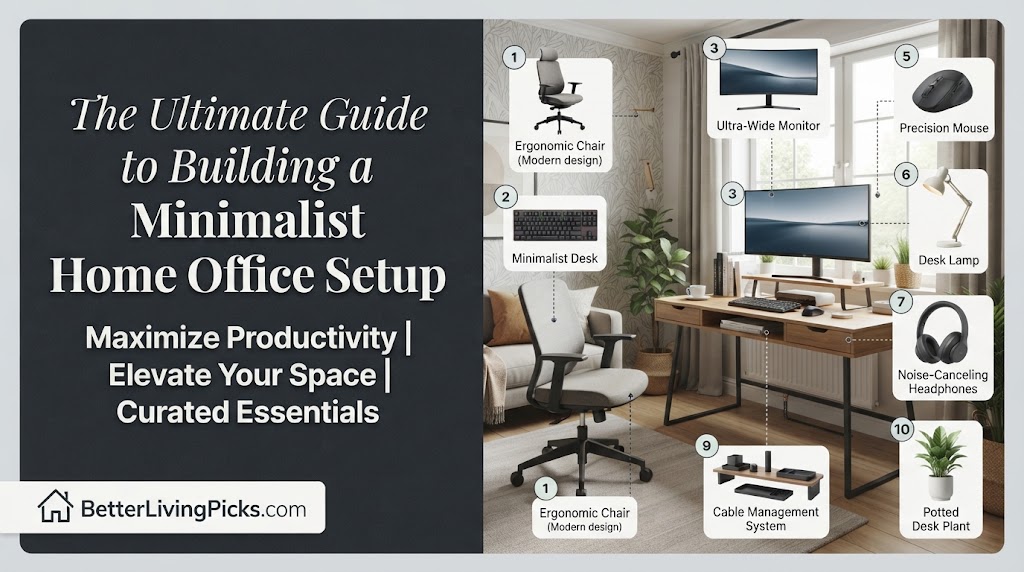
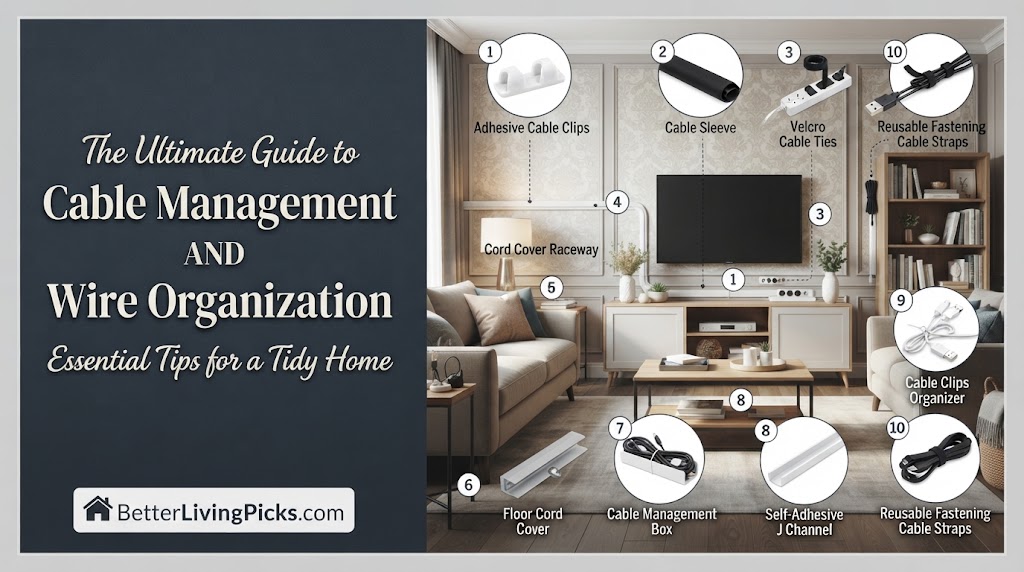
Start your cable management project with a blank slate by unplugging every single device. Audit your inventory, discard obsolete cords, and mount your power strip off the floor before routing any active lines back to your equipment.
2. Are zip ties better than velcro straps for organizing wires?
Use reusable velcro straps for almost all everyday wire organization applications because they allow easy adjustments when swapping gear. Save permanent nylon zip ties strictly for heavy, permanent runs behind walls.
3. How do I stop power strips from cluttering my floor?
Mount power strips directly to the underside of your desk using heavy-duty double-sided tape, screw-in brackets, or under-desk wire baskets. This optimizes your cable management tips by keeping high-voltage plugs off the ground.
4. What is the easiest way to hide loose cords running down a wall?
Install paintable surface raceways or PVC cord channels directly over the exposed lines. These snap-on plastic tracks blend seamlessly with drywall and provide clean wire management solutions for entertainment centers.
cable management is often the single most neglected aspect of setting up a productive home office, a gaming battlestation, or an entertainment center. Tangled nests of black rubber trap dust, create hazardous tripping points, and turn simple hardware upgrades into frustrating tech support nightmares. Fixing this chaos does not require an expensive interior designer or specialized industrial tools. It simply takes a strategic approach, a handful of inexpensive accessories, and a couple of hours of uninterrupted focus to transform an unsightly tangle into a clean, safe, and efficient workspace.
Beyond the obvious visual upgrade, taking control of your wires solves daily mechanical frustrations. How many times have you reached behind your desk to plug in a flash drive only to yank the wrong cord, crashing an external hard drive or cutting power to your monitor? A structured system eliminates these headaches by assigning every single wire a dedicated path from its source to its destination. When power lines are separated from sensitive audio cables and low-voltage data feeds, you also eliminate electrical interference and annoying speaker buzzes.
For optimal cable management in home offices and entertainment centers, combining an under-desk metal mesh cable tray with reusable silicone velcro straps delivers the ultimate balance of durability, flexibility, and value for clean wire organization.
Why cable management actually matters beyond aesthetics
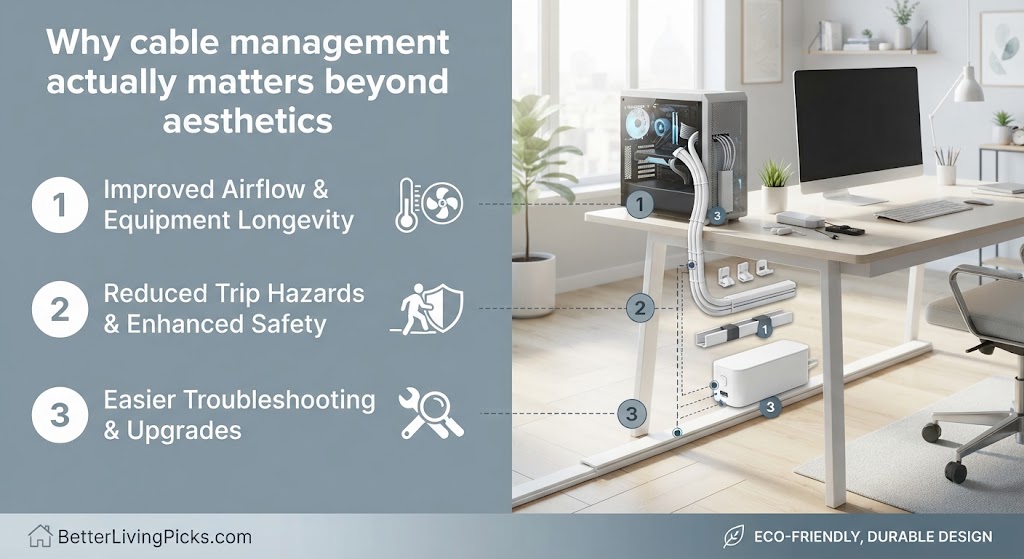
The average modern desk features anywhere from five to fifteen distinct electronic devices. Each piece of hardware brings its own power brick, data link, or display cable to the party. Left unchecked, gravity pulls these combined weights downward into a massive, dusty spiderweb resting directly on your floor. This physical arrangement creates immediate challenges for basic room maintenance. Vacuuming or sweeping under a desk becomes an impossible chore when dozens of live wires are draped across the baseboards and carpet.
Furthermore, safety hazards compound rapidly in unmanaged spaces. High-voltage power adapters generate localized heat during heavy usage cycles. When these warm bricks are buried inside a dense pile of dust-covered rubber cords, heat dissipation drops significantly. While catastrophic thermal events are rare, keeping your wires separated, elevated, and well-ventilated reduces unnecessary wear on sensitive electronics and minimizes dust accumulation points across your workspace.
The hidden costs of messy wires in home offices and living rooms
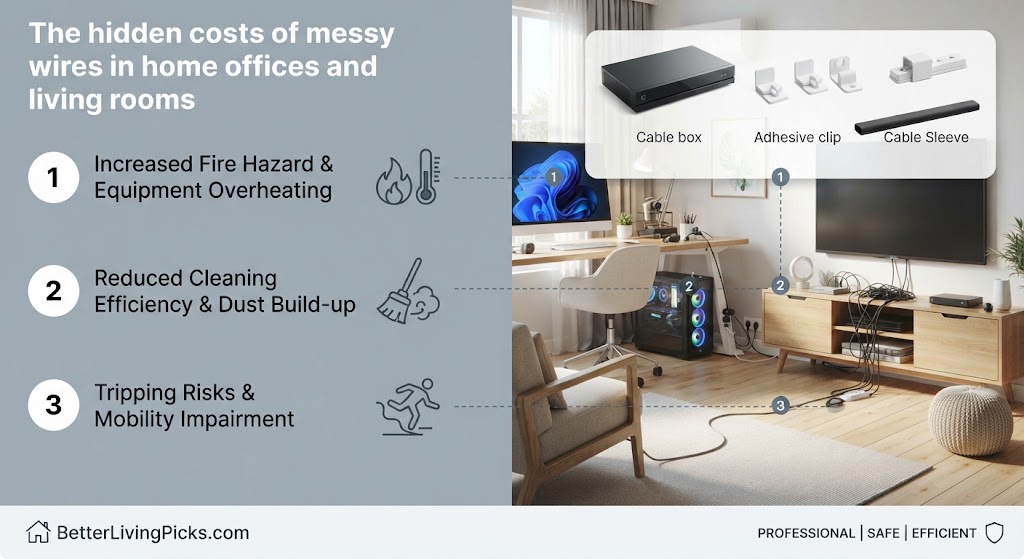
Mental clarity is closely tied to physical environment organization. Working in a space filled with visual clutter creates constant, low-level cognitive friction. When your eyes scan a chaotic mess of drooping wires every time you sit down at your computer, your brain expends energy processing that mess. Cleaning up your cords clears your visual field, helping you focus entirely on your projects, creative work, or gaming sessions without background distraction.
Another hidden cost involves hardware longevity. Cords that are constantly pulled at sharp angles near the plug head suffer internal copper wire fatigue. Over time, this mechanical stress breaks the internal conductors, leading to intermittent power drops, flickering monitors, and broken charging cables that need constant replacement. Establishing proper bend radii and strain relief preserves the physical integrity of your expensive peripheral accessories for years.
Essential tools and supplies for professional-grade wire organization
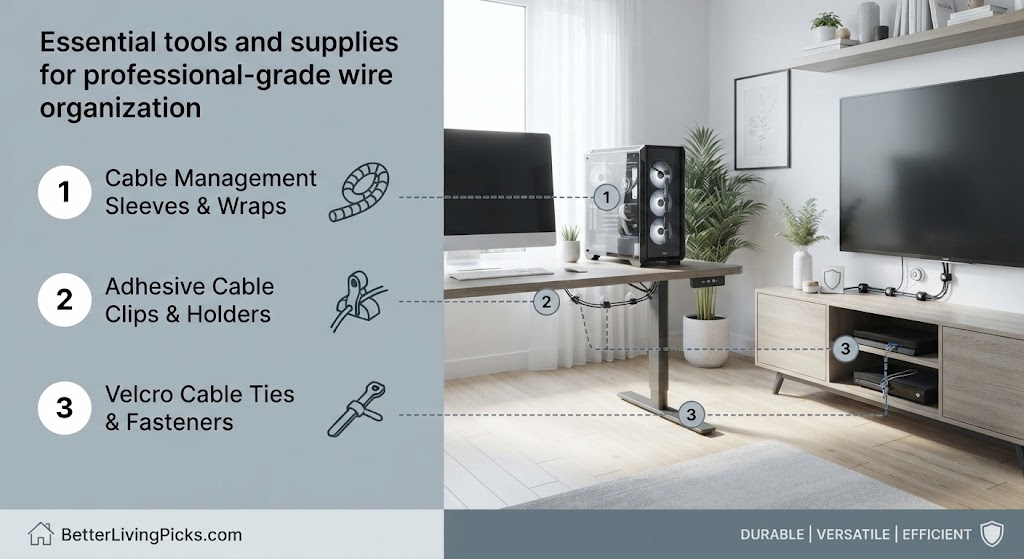
Tackling a major clean-up project requires having the right gear on hand before you begin. Buying random accessories piece by piece usually leads to half-finished projects and frustration. Equipping yourself with a versatile kit containing trays, fasteners, and sleeves ensures you can handle any routing challenge your specific desk layout presents.
Heavy-duty cable trays and metal raceways
Under-desk cable trays form the structural backbone of any clean setup. Instead of letting your power strips and excess cord slack hang freely or rest on the floor, a metal or heavy plastic mesh tray mounts directly to the underside of your desk surface. This creates an elevated shelf where heavy power bricks and coiled excess wire can sit securely out of sight.
Metal raceways provide similar benefits for vertical runs or surfaces where under-desk mounting is impossible. These rigid channels screw or stick onto walls and desk legs, acting as clean tunnels for your wires to travel through. Look for snap-on covers that let you pop the channel open whenever you need to add or remove a single peripheral line later on.
Reusable velcro straps versus permanent zip ties
Fasteners keep your bundled lines tidy and prevent individual cords from slipping out of place. While traditional plastic zip ties offer a permanent, ultra-secure hold, they force you to cut them open with scissors or wire snips every time you upgrade a device or swap a monitor. This creates unnecessary waste and risks accidentally nicking the outer insulation of your cables.
Reusable velcro rolls or pre-cut cinches solve this problem entirely. You can wrap them around your cord bundles, pull them snug, and peel them open instantly whenever hardware changes occur. Reserve rigid nylon zip ties exclusively for hidden, permanent backbone runs where you are 100 percent certain no future adjustments will ever be needed.
Neoprene sleeves, spiral wrap, and split tubing
When multiple individual cords must travel together across an open space such as the vertical drop from the back of your desk down to the wall outlet sleeving turns that chaotic bundle into a single clean line. Neoprene zipper sleeves wrap around your cords and zip shut like a jacket, hiding colorful rubber lines inside a uniform black, gray, or white fabric tube.
Spiral wrap offers a flexible alternative for bundles that branch out in different directions along their path. You can peel individual lines out of the spiral wrap at any point along its length. Split tubing provides rugged plastic protection against rolling desk chairs and curious pets who might otherwise be tempted to chew on exposed rubber insulation.
Step-by-step desk cable management mastery guide
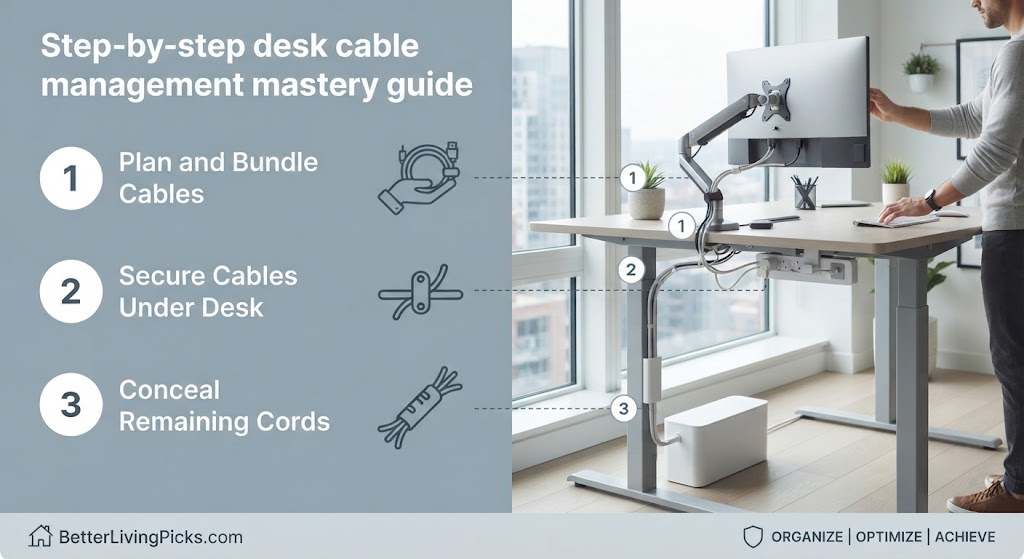
Transforming a messy, chaotic desk into a streamlined workstation requires a systematic approach. Rushing into the project without a plan usually results in tangled frustration and half-finished results. Following a proven sequence ensures every cord finds its proper home, stays secure, and remains easily accessible for future hardware upgrades.
Step 1: Total disconnection, cleaning, and cord audit
Begin your project by completely unplugging every single device from power outlets and peripheral ports. Pull all your hardware away from the wall so you have unobstructed physical access to the back and underside of your work surface. Take a microfiber cloth and a mild cleaning solution to wipe away years of accumulated dust, pet hair, and sticky grime from your desk legs, floorboards, and equipment housings.
While everything is disconnected, sort through your collection of spare wires and obsolete adapters. Discard broken cables, obsolete mini-USB cords, and duplicate charging bricks that you no longer actively use. Group your active gear into distinct categories: power lines, high-speed data feeds, display connections, and audio peripherals. This audit ensures you only spend time organizing hardware that serves a functional purpose in your daily routine.
Step 2: Off-floor mounting for power strips and surge protectors
Keeping heavy power strips resting directly on the floor is the primary cause of chaotic desk clutter. Elevating your power infrastructure off the ground protects your electrical connections from accidental liquid spills, heavy foot traffic, and vacuum cleaner impacts. Secure your primary surge protector directly to the underside of your desk using heavy-duty hook-and-loop tape, screw-in mounting brackets, or an under-desk wire basket.
When positioning your elevated power strip, make sure the master power switch and individual plug receptacles remain easy to reach. You want to be able to reset tripped breakers or cut power quickly in an emergency without having to contort your body under the furniture. Ensure that the main wall plug has enough slack to accommodate desk adjustments if you use a standing frame.
- Label Everything: Tag both ends of your lines to eliminate guesswork during future hardware maintenance.
- Protect Against Heat: Ensure high-draw adapters have adequate airflow within your wire management solutions.
- Maintain Slack: Leave extra service loop length on all vertical drops to prevent tension issues.
- Audit Regularly: Perform routine seasonal checks to keep your complete cable management setup flawless.
Step 3: Routing and concealing main power trunks
With your power source securely mounted underneath the work surface, you can begin routing your primary power lines. Gather all heavy power cords together into a neat bundle and lay them inside your under-desk cable tray. Use reusable velcro straps every six to eight inches to keep the bundle tight and prevent individual wires from sagging downward.
If your power lines must travel down a standing desk leg or across an open wall space, enclose them inside a flexible neoprene sleeve or split plastic tubing. Attach the sleeve securely to the back leg of your desk using adhesive cable clips or magnetic channels. This ensures that when you raise or lower a motorized standing desk, the power trunk flexes smoothly without catching on mechanical joints or pulling tight against wall sockets.
Step 4: Grouping high-speed data and peripheral cords
Peripheral lines such as USB data cables, HDMI display links, and Ethernet network connections require careful separation from high-voltage power lines. Crossing high-speed data lines directly over thick alternating current power bricks can induce electromagnetic interference, causing flickering monitor screens or audible static buzzes in studio monitor speakers. Keep your data lines running along separate channels or opposite sides of your desk frame.
Use low-profile adhesive desk clips along the rear edge of your work surface to guide peripheral cords right up to the back of your laptop, monitor, or desktop tower. Leave just enough slack at the device end to allow for natural equipment movement, but secure the excess length neatly into your under-desk management tray. This approach keeps your primary desktop completely clear of winding cords while maintaining full functionality.
Integrating cable management tips like zipper neoprene sleeves with adhesive clips provides the absolute cleanest method to clean up computer cables trailing from dual-monitor workstation setups.
Advanced entertainment center and TV wire organization
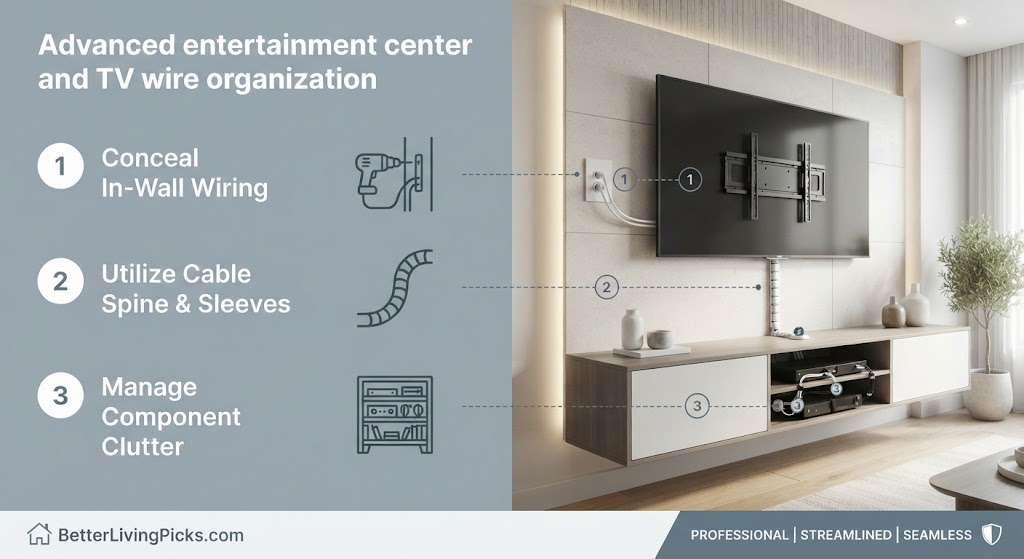
Living room entertainment centers present unique organizational challenges due to the sheer volume of high-bandwidth video, audio, and network connections involved. A modern media console typically supports a large smart television, a soundbar, multiple gaming consoles, streaming boxes, and network switches. Managing this dense web requires specialized concealment strategies that keep your living space looking clean and intentional.
Concealing cords behind drywall safely
Routing television power cords and HDMI cables directly behind drywall provides the cleanest possible visual result for wall-mounted displays. However, running standard flexible power cords inside residential walls violates electrical building codes in many jurisdictions because standard jacketed cords are not rated for continuous in-wall installation.
To do this job safely and legally, install an in-wall rated power extension kit that includes a recessed power inlet, a specialized electrical junction box, and rated Romex wiring hidden behind the drywall. Alternatively, use sleek surface-mounted paintable raceways that run down the exterior face of your wall. These plastic channels snap securely over your lines and can be painted to match your exact wall finish.
Managing complex media consoles and gaming consoles
Entertainment centers house multiple high-draw electronics that generate substantial thermal energy during long gaming sessions or movie marathons. Avoid stuffing heavy gaming consoles and audio-video receivers into tight, enclosed cabinet compartments where hot air cannot escape. Adequate ventilation is essential for preventing thermal throttling and extending the lifespan of your expensive entertainment hardware.
Install a vertical multi-tier wire grid or attach heavy-duty mounting hooks inside the back panel of your TV stand to support bulky power bricks. Group optical audio lines, ethernet cables, and HDMI connections into labeled bundles using flexible spiral wrap. Keeping your console lines organized makes swapping out game systems or troubleshooting an audio dropouts quick and painless.
Troubleshooting airflow, interference, and power loads
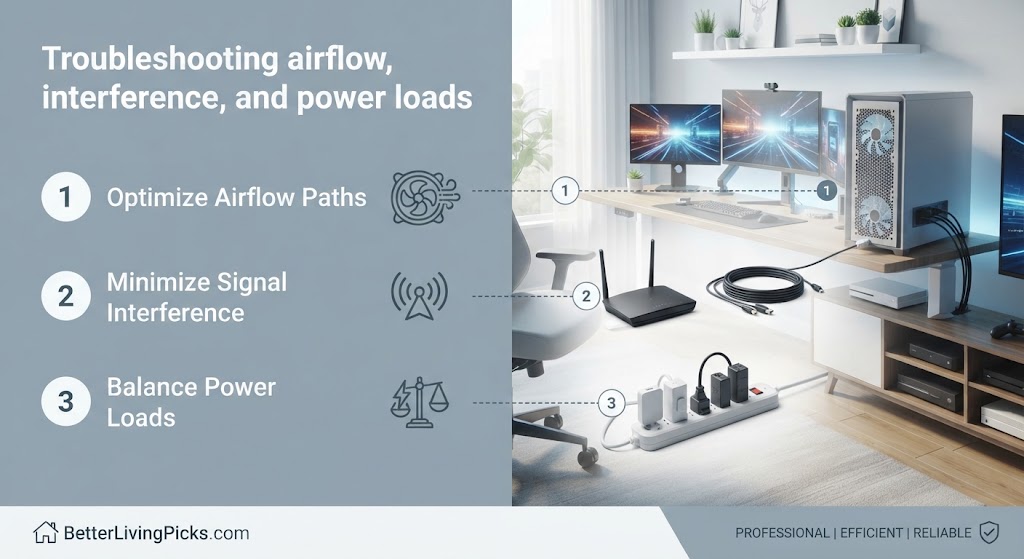
Even after you finish organizing your workspace, unexpected technical glitches can occasionally pop up. Knowing how to diagnose and fix common electrical and signal issues ensures your clean setup remains entirely reliable over the long run.
If you notice a persistent hum or buzzing sound coming through your desktop speakers or studio monitors, electromagnetic interference is the most likely culprit. Audio signals traveling through unbalanced analog lines pick up stray magnetic fields when bundled tightly alongside high-current power cables. Separate your audio lines from your power strips by at least six inches, or upgrade to shielded balanced cables to eliminate background buzz completely.
Power capacity overload is another critical factor to monitor when consolidating multiple devices onto a single surge protector. Plugging too many high-wattage appliances such as space heaters, laser printers, and powerful gaming PCs into a single daisy-chained power strip can trip breakers or overheat internal components. Distribute your heavy electrical loads across separate wall circuits whenever possible to maintain a safe operating environment.
Maintaining your clean setup over the long term
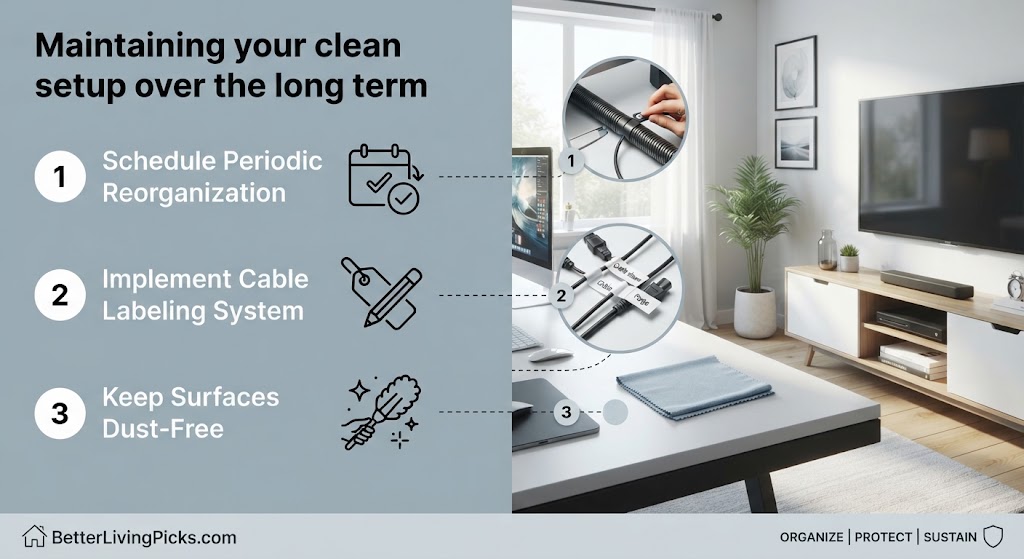
An organized workspace is not a one-time project; it requires occasional light maintenance to stay neat. Whenever you purchase a new peripheral, laptop dock, or gaming accessory, take two extra minutes to integrate its wire into your existing management system rather than letting the new cord drape across your floor.
Establish a quarterly review habit to inspect your under-desk trays, check velcro strap tension, and vacuum away any dust accumulation. Regular minor upkeep prevents clutter from creeping back into your workspace, ensuring your environment remains productive, safe, and visually clean year-round.
- Start Fresh: Always disconnect everything and audit your hardware inventory before beginning your cable management project.
- Elevate Power: Mount surge protectors off the floor to protect against spills and dust buildup during routine wire organization.
- Separate Signals: Keep high-speed data lines away from thick alternating current power lines to prevent electromagnetic interference.
- Choose Reusable Fasteners: Use velcro straps instead of permanent zip ties to make future equipment upgrades and wire management solutions effortless.
Frequently Asked Questions
What is the best way to start organizing a messy desk?
Start by completely unplugging every device and pulling your furniture away from the wall. Clean the entire surface, discard obsolete or broken cords, and mount your power strip off the floor before routing any active lines back to your equipment.
Are zip ties safe to use on computer cables?
Traditional nylon zip ties are safe for permanent runs, but they require cutting with scissors or wire snips every time you change equipment. Reusable silicone or fabric velcro straps are much better for everyday setups because they allow effortless adjustments.
How do I prevent electromagnetic interference in audio cables?
Electromagnetic interference happens when unshielded analog audio lines run parallel and close to high-current power cords. Separate your audio cables from power strips by at least six inches or use heavy-duty shielded cables to eliminate background hum.
Can I run standard power cords behind drywall?
Running standard flexible power cords inside residential walls violates electrical building codes because standard jacketed cords are not rated for continuous in-wall use. Always install a specialized in-wall rated power extension kit or use surface raceways.
How do I manage wires on a motorized standing desk?
Always leave an extra foot of service loop slack on all vertical runs when organizing a standing desk. Test your desk through its complete height range very slowly to ensure cords do not stretch tight, snap ports, or pull power bricks loose.
What causes power strips to overheat under desks?
Power strips overheat when they are overloaded with high-wattage appliances or tightly buried inside dense piles of dust and rubber cords. Mount your power strip in an open under-desk tray to ensure proper airflow and heat dissipation.
How often should I clean and inspect my wire organization?
Perform a quick inspection and dusting check every three to six months. Keeping up with minor maintenance prevents dust buildup and stops new stray cords from cluttering your workspace floor.
What is the difference between a cable raceway and a cable sleeve?
A cable raceway is a rigid plastic or metal channel that mounts flat against walls or desk legs to hide straight runs. A cable sleeve is a flexible neoprene or mesh tube that wraps around a bundle of cords to group them into a single flexible line.
How do I label cords so I know what they connect to?
Wrap small pieces of painter’s tape, masking tape, or printed thermal labels around both ends of your cords. This simple step saves hours of frustrating guesswork whenever you need to unplug a specific monitor or charger.
Is it safe to daisy-chain multiple power strips together?
Daisy-chaining multiple power strips or surge protectors together creates a serious electrical fire hazard and overloads circuit capacity. Always plug your primary surge protector directly into a permanent wall outlet.
How do I keep pet cats or dogs from chewing on my cords?
Enclose all exposed floor-level cords inside heavy-duty plastic split tubing or rigid braided nylon sleeves. The tough outer barrier discourages pets from chewing on rubber insulation and protects your hardware from damage.
What should I do with excess cord slack?
Coil your excess cord slack neatly using the figure-eight method and secure the bundle with a reusable velcro strap. Never tightly wrap cords in sharp circles, as this places unnecessary mechanical strain on the internal copper conductors.
Mastering Your Workspace
Taking control of your cords is one of the highest-leverage improvements you can make to your daily work or gaming routine. By replacing chaotic floor tangles with structured trays, reliable sleeves, and reusable straps, you eliminate physical hazards, protect expensive hardware, and clear your field of vision for total concentration. Take it one step at a time, test your changes thoroughly, and enjoy an organized environment built to last.